
Your whole household on one meal plan and one grocery list
MealBright is a meal planner that keeps your recipes, the week’s plan, and one grocery list that everyone in your household shares. Start free on iPhone, Android or the web.

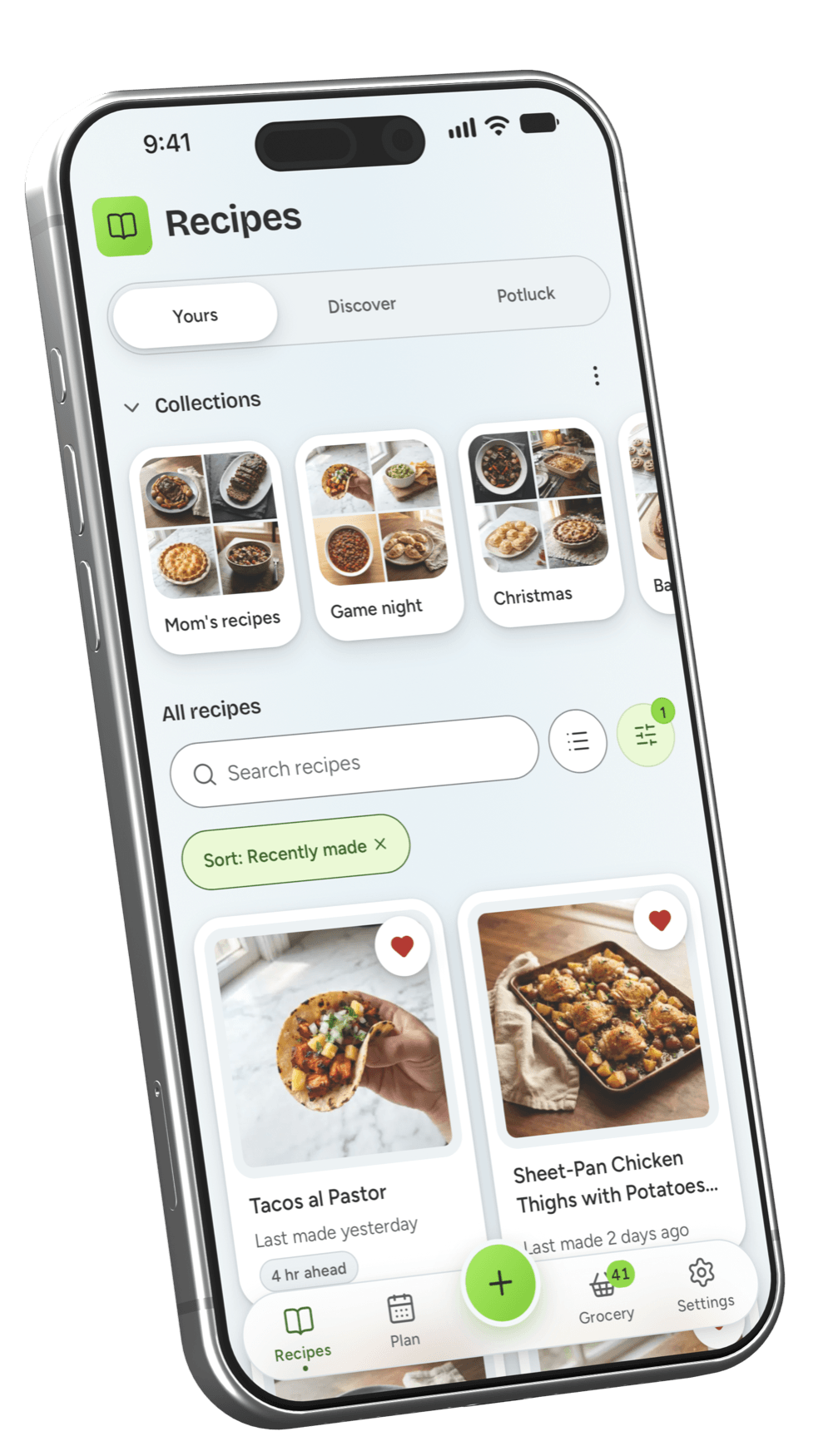
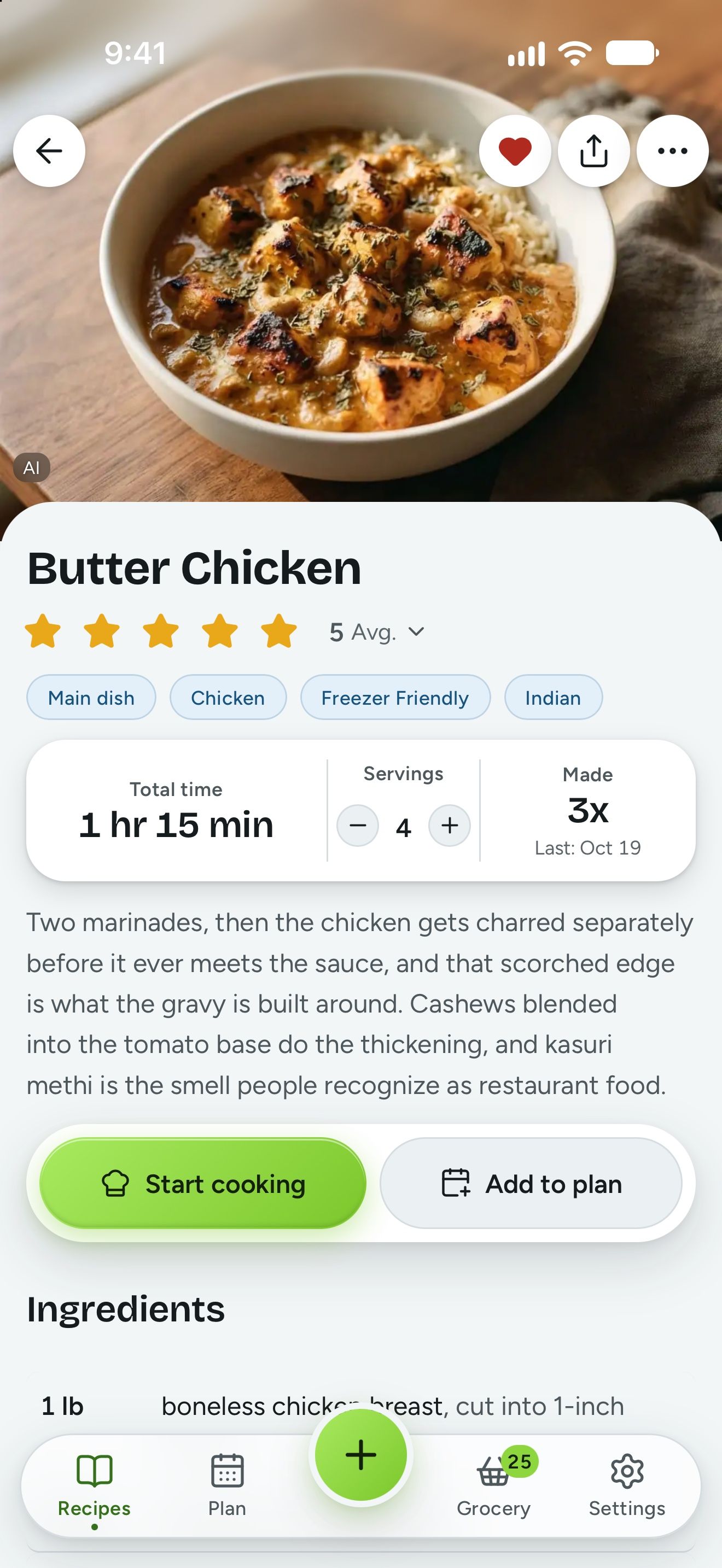
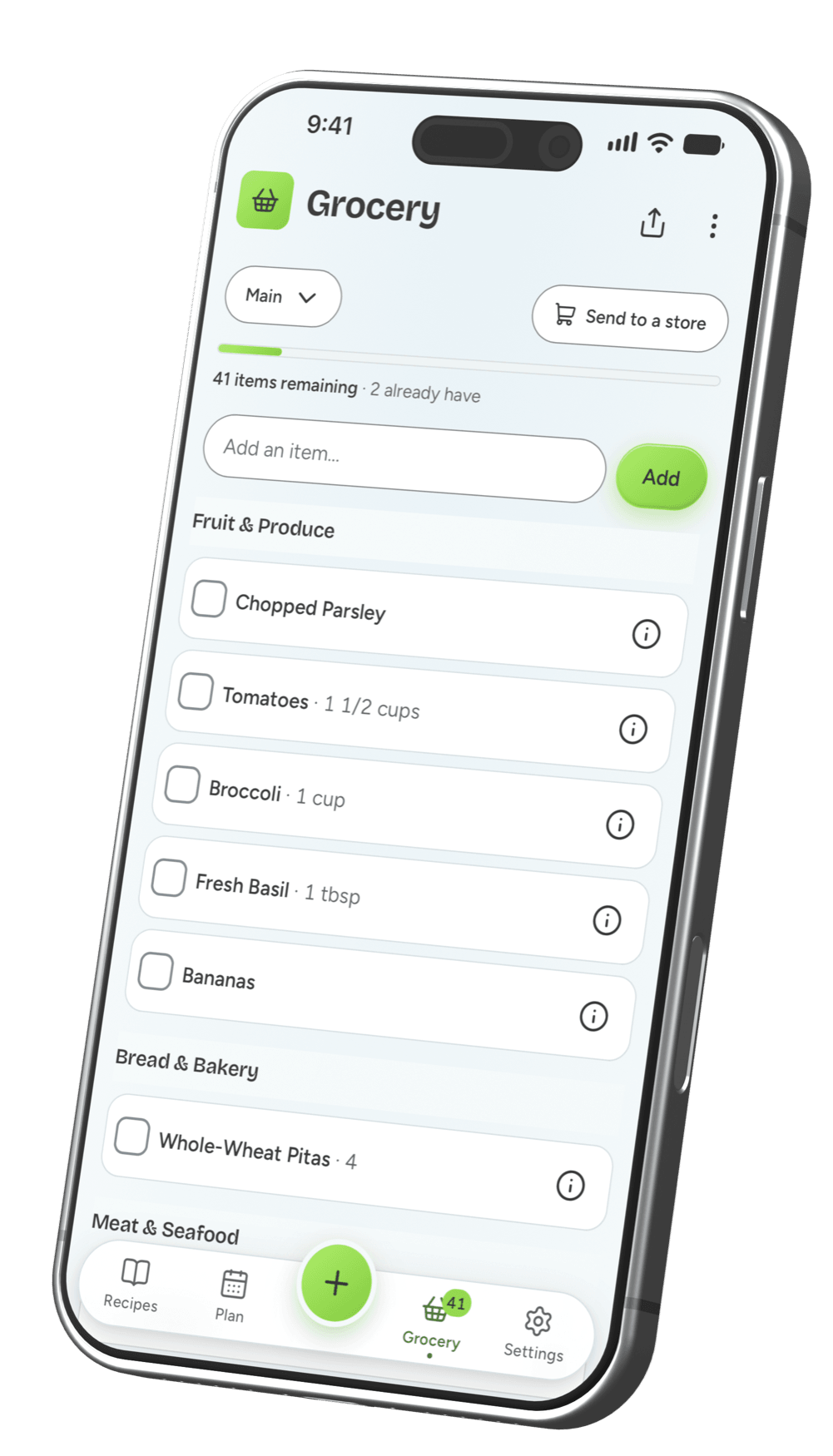
What is MealBright?
MealBright is a meal planning app that households use to store recipes, plan the week, and share one grocery list. MealBright has apps for iPhone and Android, and computers run MealBright in a web browser at app.mealbright.app. MealBright imports recipes from any recipe site, and on Plus from Pinterest, TikTok, Instagram, YouTube, Facebook, and photos. The grocery list sorts by aisle, and on Plus it updates for everyone in the household at the same time. MealBright is free to use, and a Plus plan is priced at $3.99 a month or $39.99 a year for the whole household, with a 30-day free trial.
Dinner shouldn’t live in one person’s head.
We understand that in most homes, one person plans dinner, writes the list, and does the shopping. Right now dinner lives in a notes app, a few screenshots, and a text asking what else to buy.
You are probably that person.
- You think about dinner even when you’re not cooking.
- Deciding what to make and writing the grocery list takes you longer than cooking.
- Handing it off feels harder than just doing it yourself.
MealBright is the meal planner that makes dinner easy to hand off
We built MealBright for ourselves first. MealBright gives everyone in your household the same recipes, the same plan for the week, and one grocery list, so anyone in the house can do the shopping or start dinner. Your recipes stay yours, because MealBright lets you download every one of them as a file at any time.



How does MealBright work?
Get your recipes in
Sign up with your Apple or Google account, or an email and password, with no card. Then paste a link, type one yourself, or discover curated recipes in the app. With Plus, take a photo or share from socials.
Plan the week
Pick what you want to cook on which days, or, with Plus, let MealBright plan the week for you. Plan as few or as many days as you like.
Shop for what you need
Your plan automatically becomes a grocery list, sorted by aisle. With Plus, everyone in your household shops from the same list, or you can send it to Walmart or Kroger.
What does MealBright do?
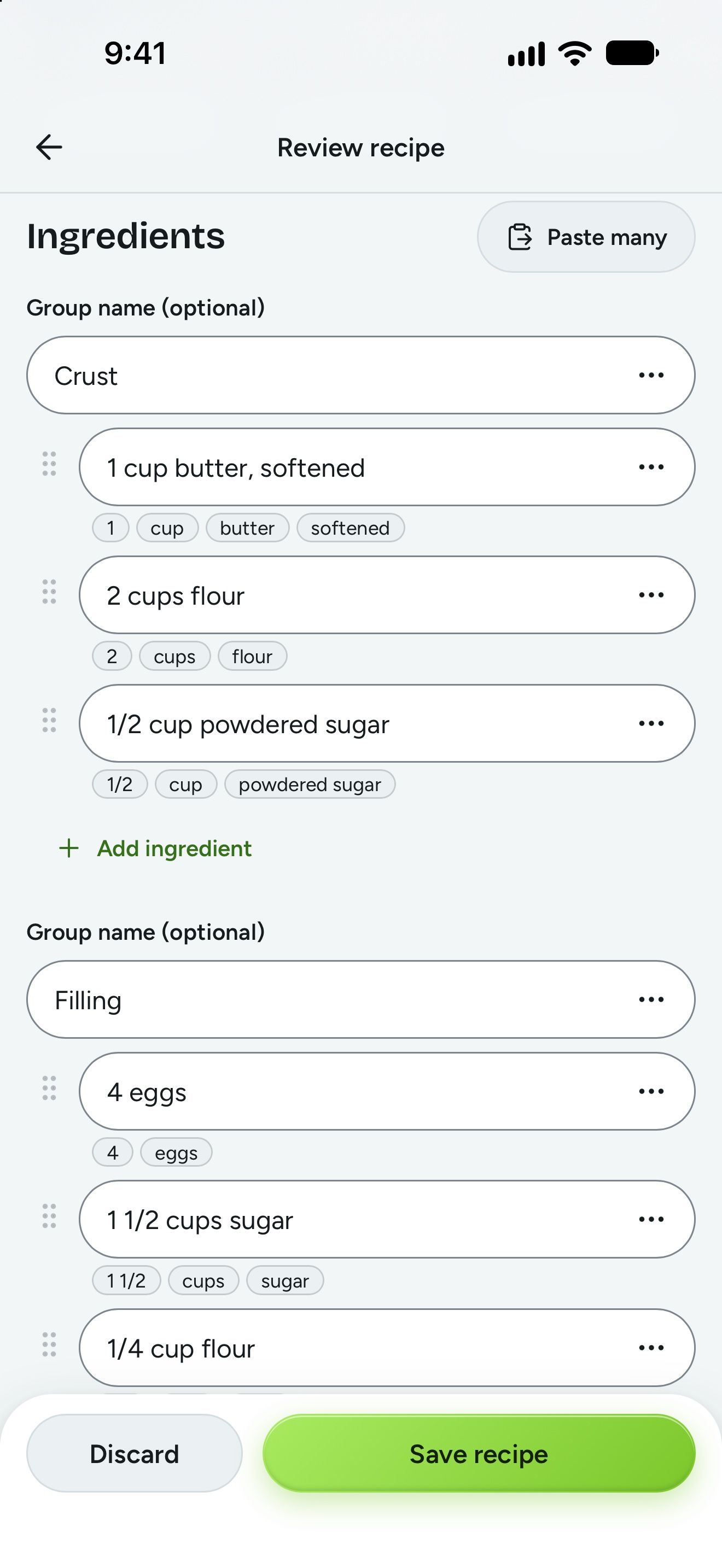
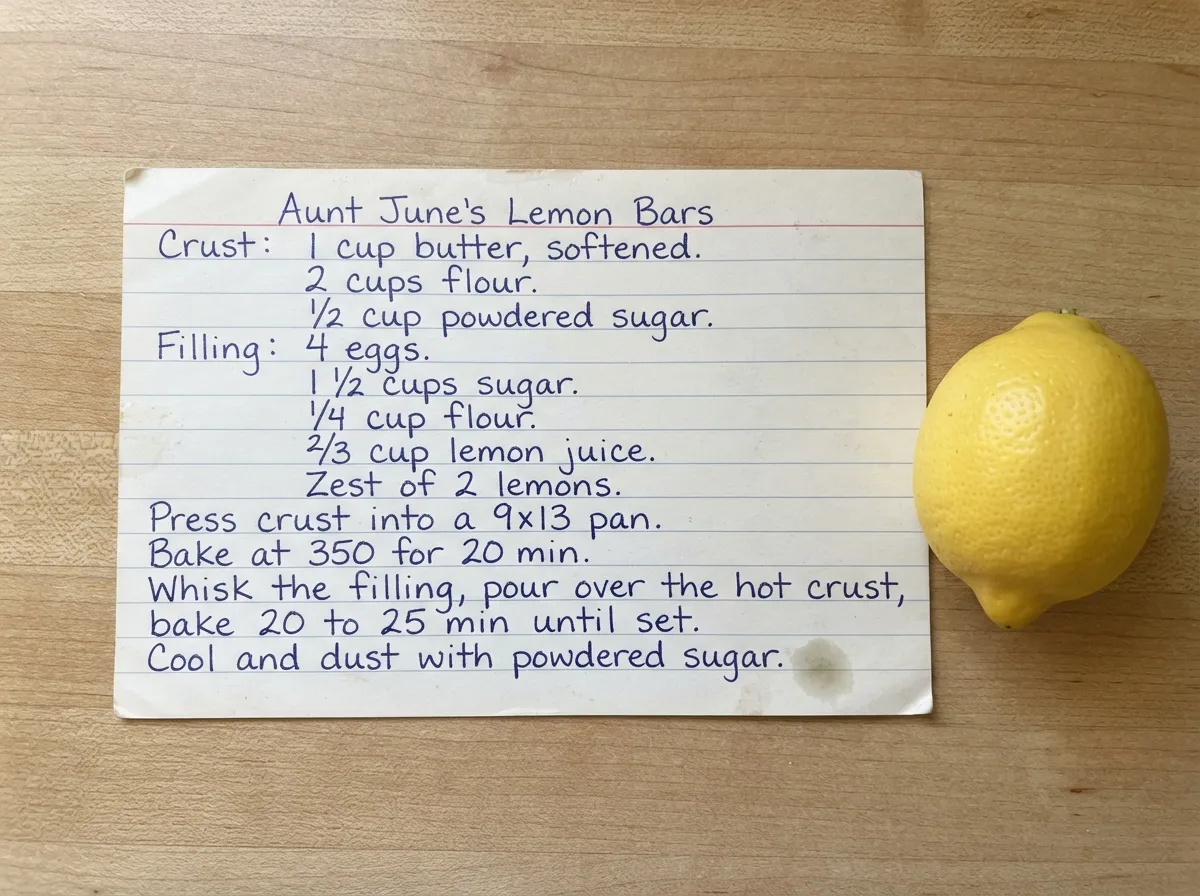


Save recipes from anywhere.
Snap a photo, paste a link, share a post, add a whole cookbook, or type it in. Each one saves to your recipes as clean ingredients and steps you can edit. Links and typing are free; photos, posts, and documents use the AI tools in Plus.
- A photo
- Any recipe site
- Pinterest, TikTok, Instagram, YouTube, Facebook
- Typed in by you
- A PDF or Word file, like a family cookbook
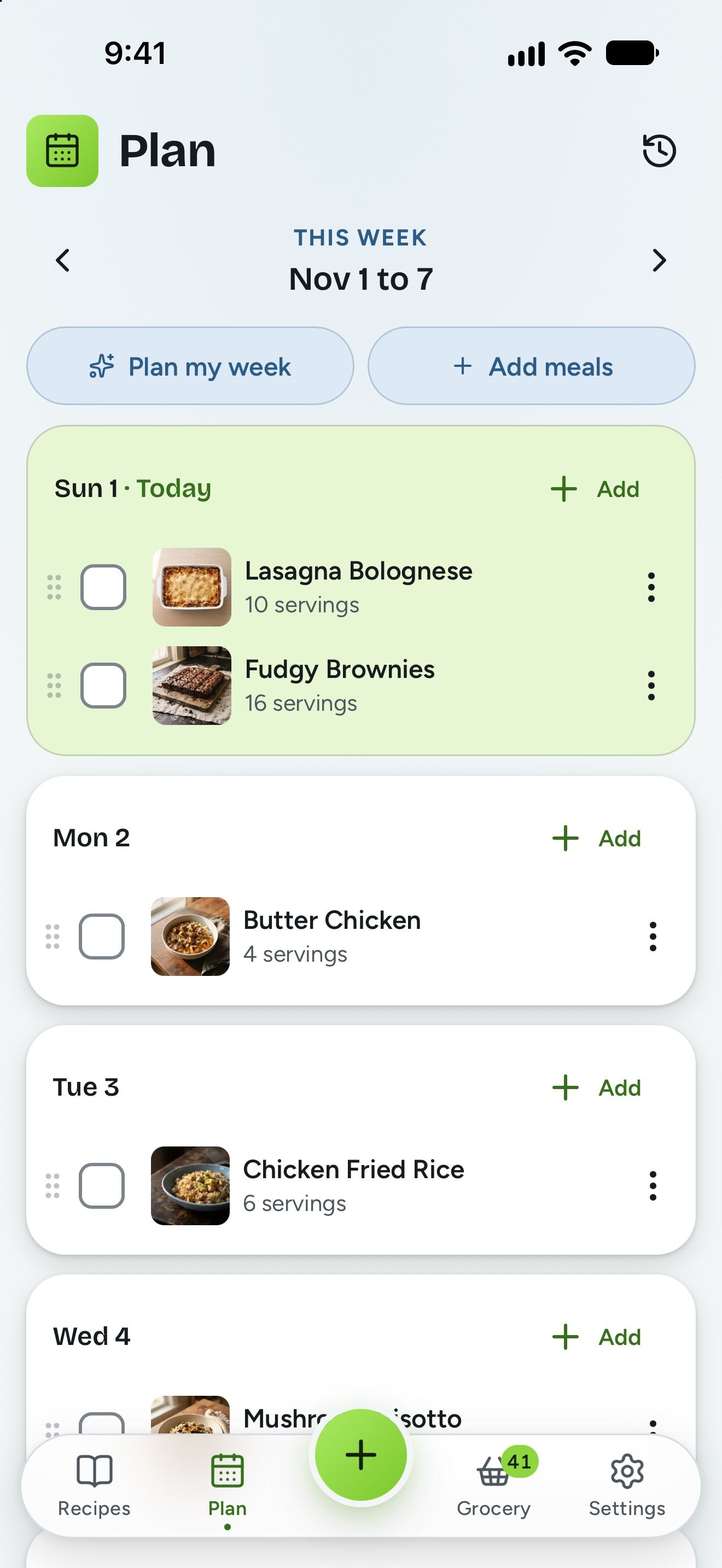
Plan your meals for the week.
Pick a recipe, pick a day, and it’s on the plan. Fill two nights or the whole week. Everyone in your household sees the same plan, so nobody has to ask what’s for dinner.
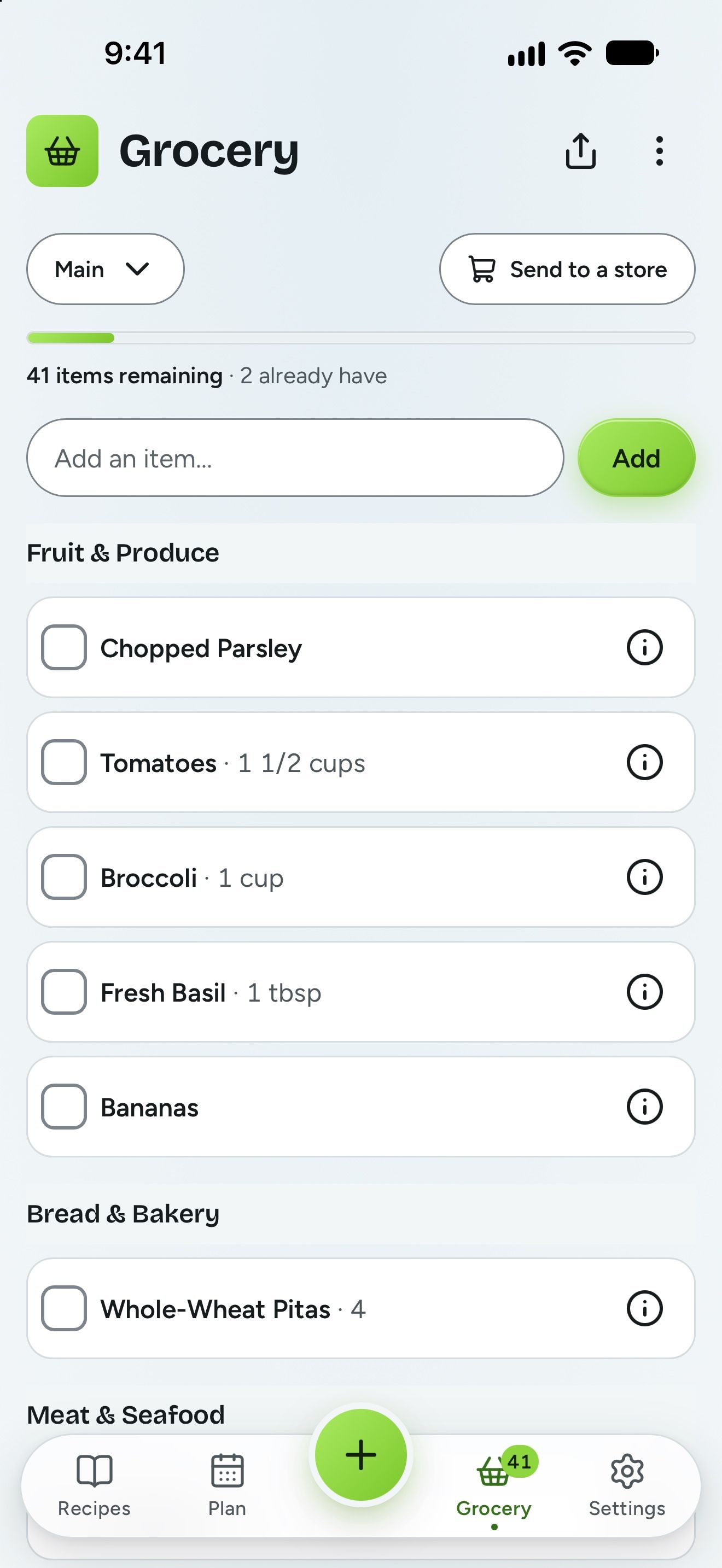
One grocery list everyone can shop from.
Your list builds itself from the plan and sorts by aisle. With Plus, check off the milk and it disappears from your partner’s list while they’re still in the store, so nobody buys it twice.
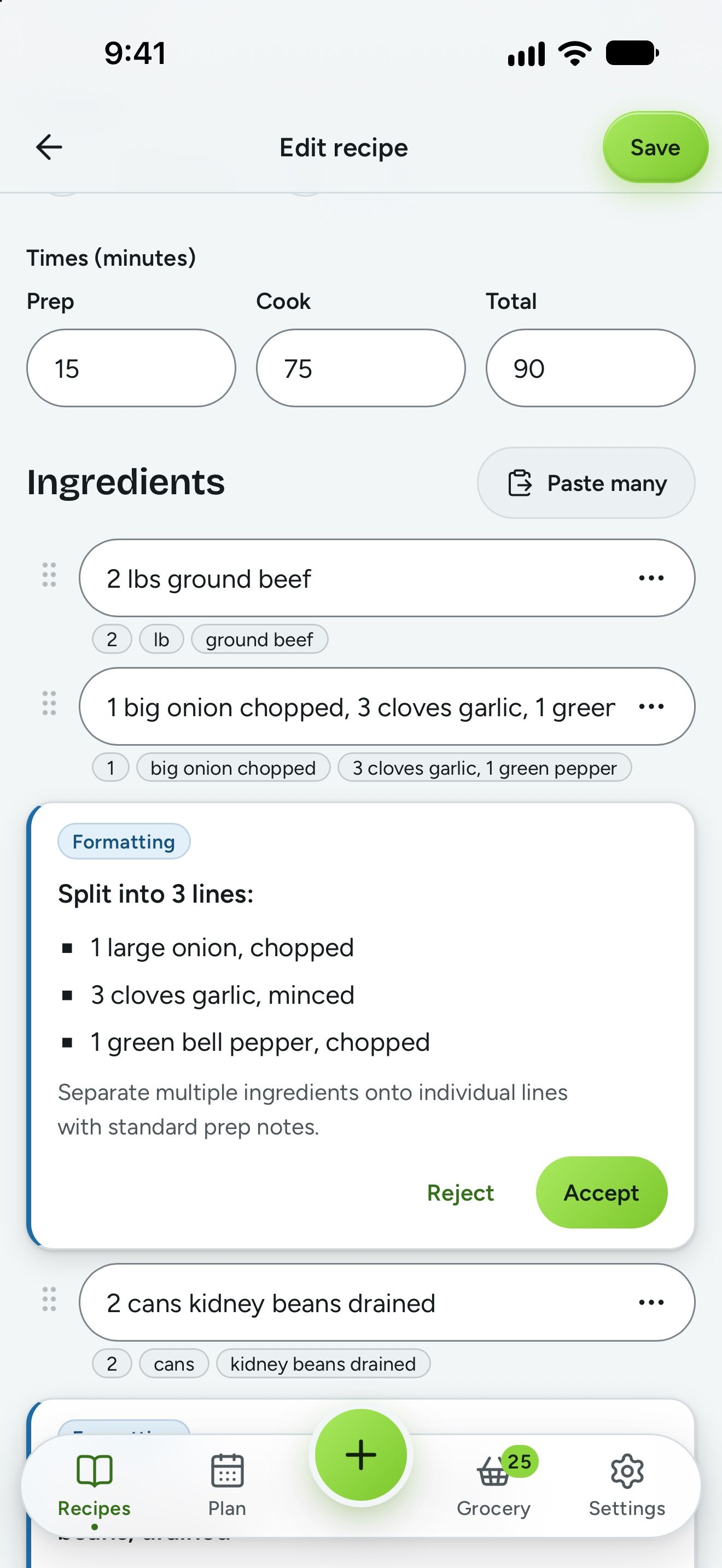
Enhance, clarify, and add photos to your recipes with built-in AI.
A recipe that came in messy gets sorted into clean ingredients and steps, with every change shown before you save. A recipe with no photo gets one made for it, in the style you pick. Both are optional, and nothing is saved until you have seen it. The AI tools come with Plus.
- Every change listed, to accept or reject one by one
- A photo made for any recipe, and labeled as AI in the app
- Recipes read out of photos, social posts, pasted text, and whole cookbooks
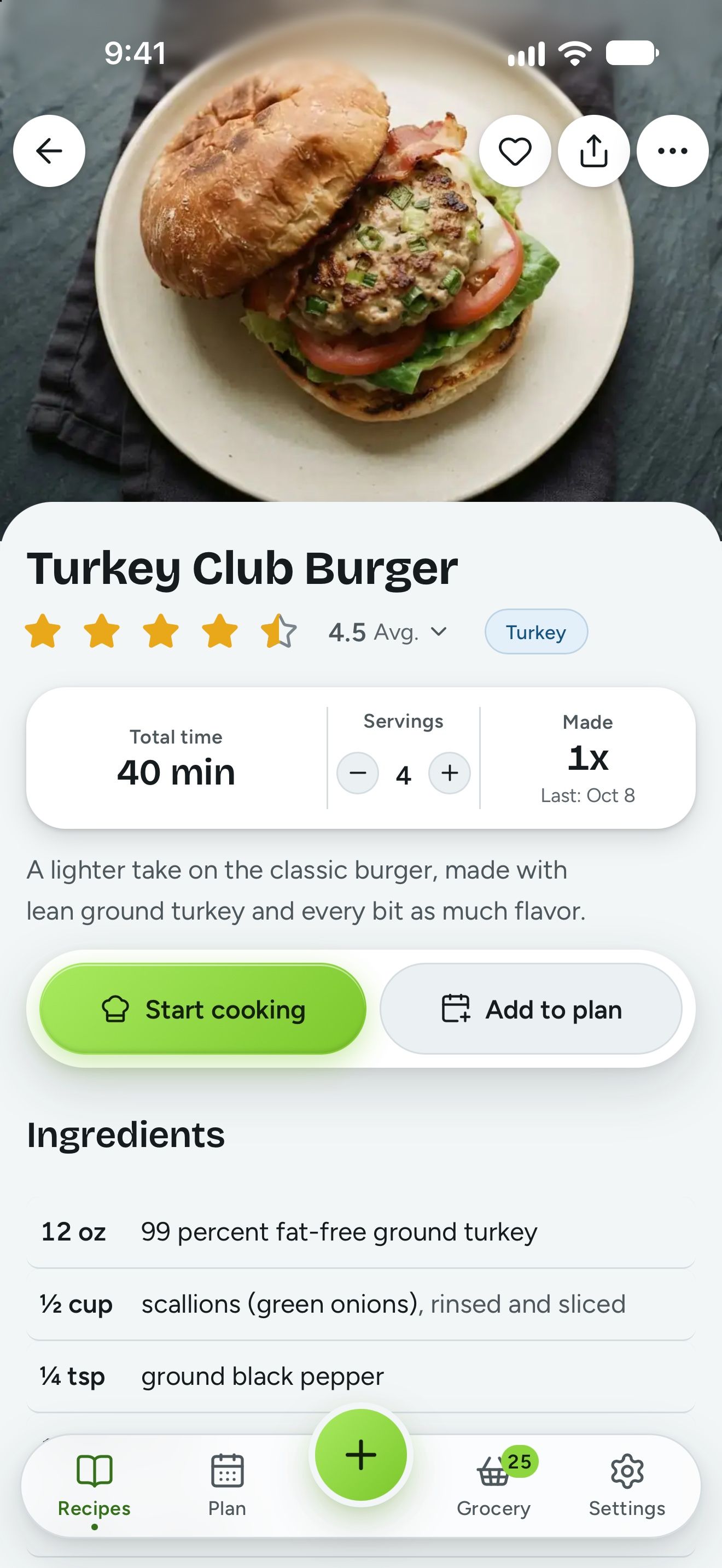
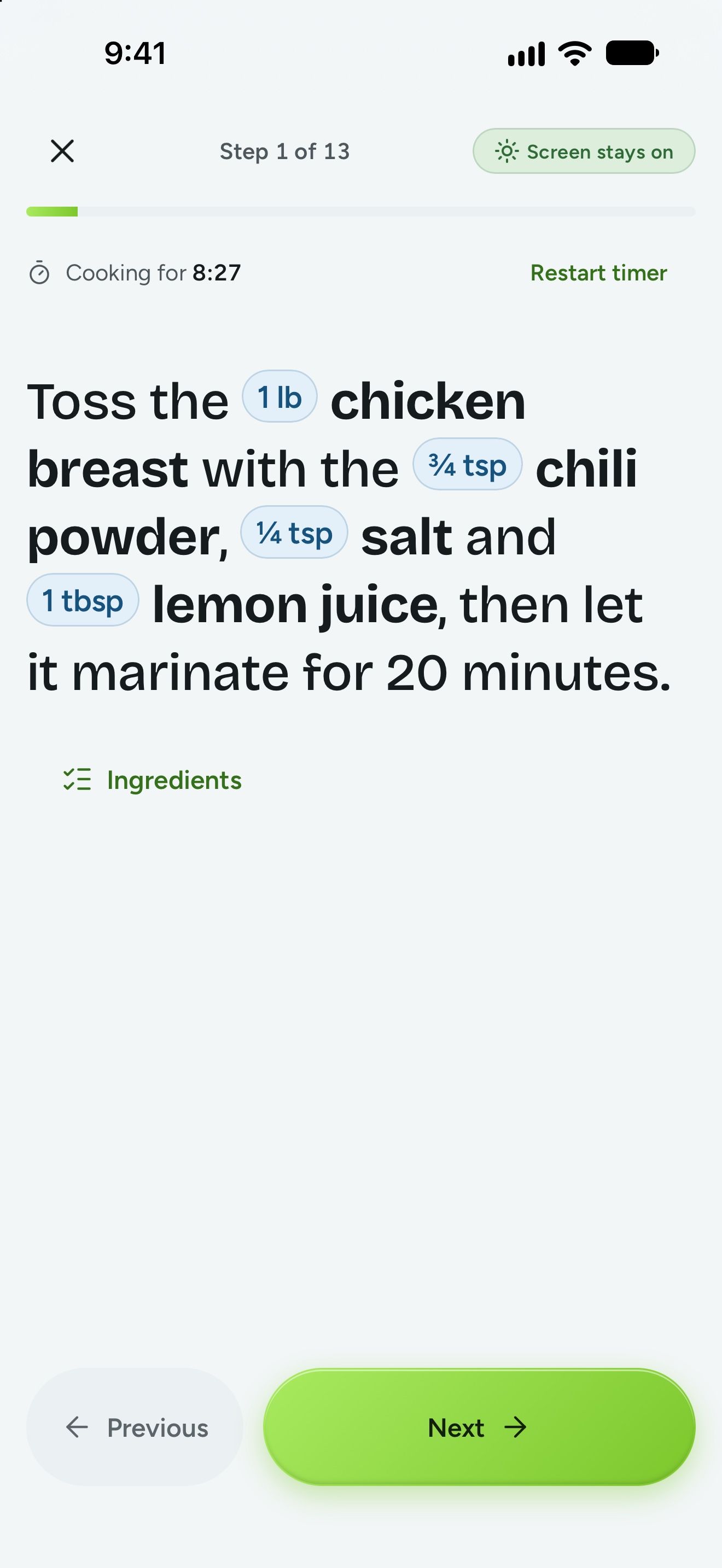
Cook step by step.
Cooking mode shows one big step at a time, with each amount right there in the step, and keeps the screen awake so you’re not swiping with a wet hand.
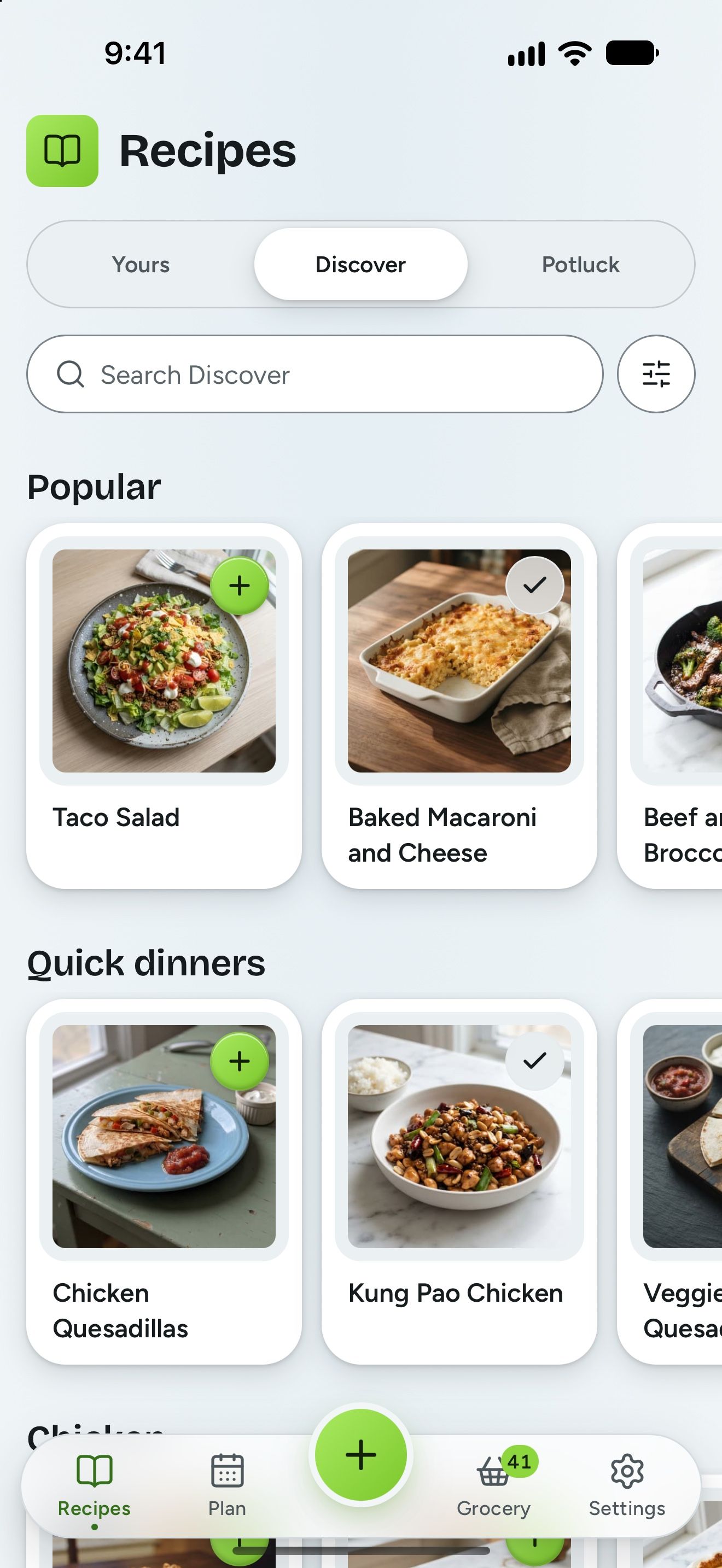
Find your next favorite meal.
Stuck for ideas? Discover is a collection of recipes ready to cook: dinners, sides, breakfasts, desserts, and drinks. Search it, narrow it down to what is quick or what uses few ingredients, then add one to your recipes in a tap. From there it is yours, to edit, plan, and shop for like any other recipe.
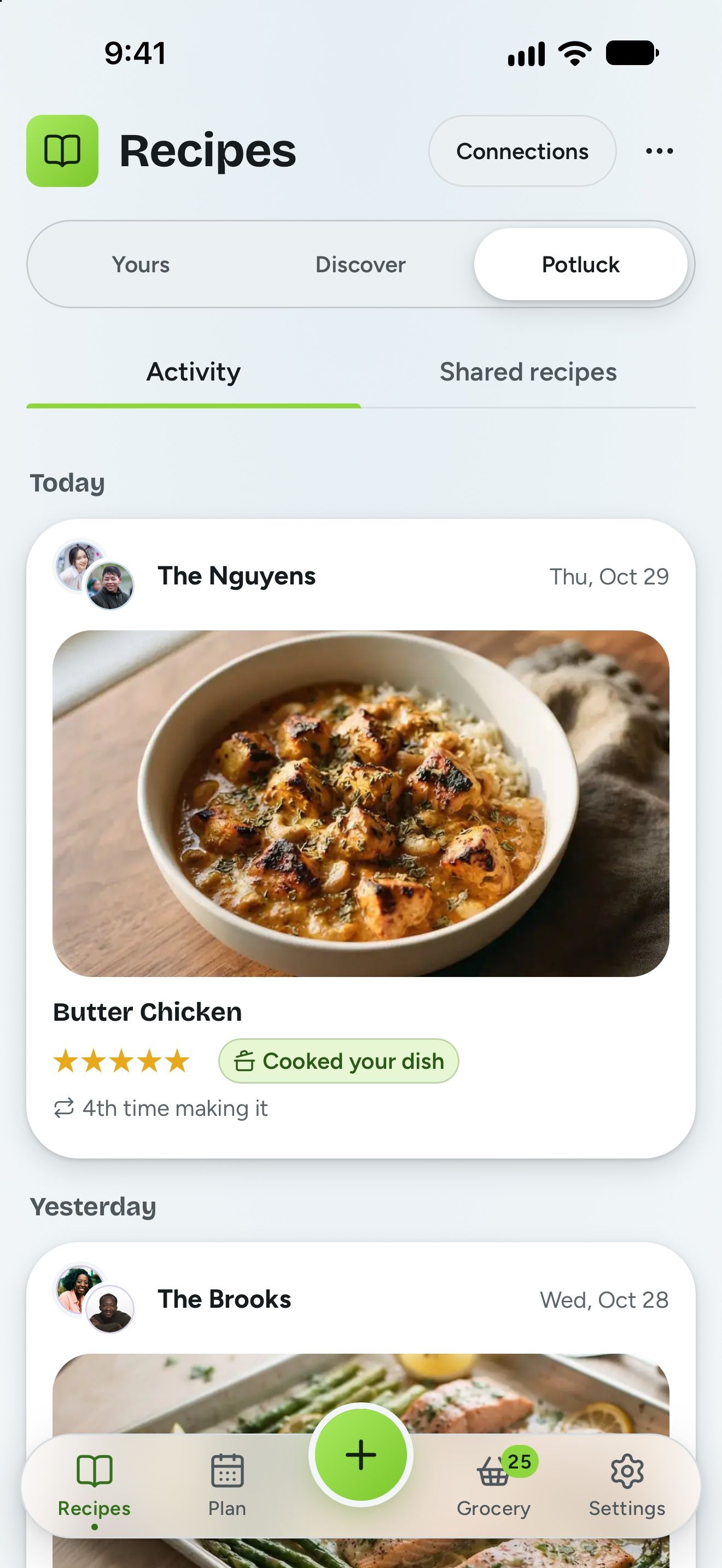
See what friends and family are cooking.
Connect with the households you cook with, like your parents or a friend down the street. See what they made this week and how they rated it, share your favorite recipes, and save theirs to your recipes in a tap. Connecting takes an invite link, so only people you invite can see what you share. It’s free.
What else comes with MealBright?
Made for a household
With Plus, invite the people you cook and shop with, and everyone gets the same recipes, plan, and list.
Collections, with Plus
Group your recipes however you cook, like game nights, holidays, or Grandma’s best.
Ad-free and private
MealBright has no ads and never sells your data. You can delete your account from Settings at any time.
iPhone, Android and the web
MealBright has apps for iPhone and Android, and the web version has the same recipes, plan, and list on any computer.
What MealBright costs
Free
$0
- Store unlimited recipes
- Discover new curated recipes
- Set your diet and allergies
- Meal plan for this week and next week
- Automatic grocery list
- Intuitive cooking mode
- Unlimited import from links
- Share recipes with friends and family
- Download all your data, any time
Plus
$3.99/mo
or $39.99/year
30-day free trial
One subscription covers everyone in your household.
- Everything in Free
- AI recipe tools*
- Add everyone in your household
- Your week of meals planned in one tap
- Add recipes from photos and social posts*
- Group your recipes in Collections
- Reuse past meal plans, roll over unmade meals to the next week, and plan further ahead
- Track meal cook history
- Send your grocery list to Walmart or Kroger stores
- Multiple grocery lists for different stores
- Custom store aisles and order
*300 AI assists, 200 recipes imported from photos, and 100 AI recipe photos a month.
Questions
What is the best free meal planning app with a grocery list?
A good free meal planning app turns your weekly plan into a grocery list without retyping anything. MealBright does this on the free plan: pick your meals for the week, and MealBright builds the grocery list and sorts it by aisle.
How do I share a grocery list with my family?
With MealBright Plus, you invite the people in your household, and everyone sees the same meal plan and grocery list on their own phone. When one person checks something off, it disappears from everyone else’s list. One subscription covers the whole household.
Is MealBright free?
MealBright is free, and Plus brings in your whole household. Signing up takes an email and a password, or your Apple or Google account. Storing your recipes, planning the week, your grocery list and cooking mode are free, with no card and no time limit. Plus puts everyone in your household on their own phone, and adds collections, every week you have planned and every meal you have cooked, a list for each store, planning further ahead, and all of the AI tools. It is $3.99 a month for the whole household, or $39.99 a year, and the first 30 days are free.
Does everyone in my household need Plus?
No. One subscription covers everyone in your household, each on their own phone. Anyone in the household can subscribe, but only one person needs to.
What happens to my recipes if I cancel Plus?
They stay yours. Your recipes, photos, notes, ratings, collections, and grocery lists are all kept, and you can keep using MealBright for free for as long as you like. Your past weeks and cooking history are saved too, waiting for you if you come back to Plus. If you share your household, everyone still sees the same recipes, plan, and list, and editing stays with the household’s owner until someone subscribes again, and anyone in the household can do that. You can download a copy of everything at any time.
Does MealBright work on iPhone and Android?
Yes. MealBright has an iPhone app in the App Store and an Android app on Google Play. It also runs in any web browser at app.mealbright.app, with the same account, recipes, plan, and list everywhere.
How do I add a recipe from Pinterest, TikTok, or Instagram?
Tap Share on the post and pick MealBright. MealBright reads the recipe out of the caption, or follows a recipe link the creator left in it, and saves it with ingredients and steps you can edit. A Pinterest pin works the same way: MealBright follows the pin to the recipe it points at. A pin that is only a picture, with no link behind it, has nothing to follow, so use the photo import for those. The same works for YouTube and Facebook posts, photos of a cookbook page, pasted text, and a link to any recipe site. Reading a recipe from a post, a photo, or pasted text is one of the AI tools in Plus, and you can try each one 3 times free. A link to a recipe site is free.
I cook alone. Is this still for me?
Yes. MealBright works for one person, and you can invite someone later with Plus if you want to.
What if MealBright shuts down one day?
MealBright lets you download everything in your household as a file at any time, from Settings, then Your data.
Do the AI features come with the free plan?
You can try each one 3 times on the free plan, to see what it does for you. After that, the AI tools are part of Plus: tidying a messy recipe, reading one from a photo, a social post, or pasted text, bringing in a whole PDF or Word file of recipes, making a recipe photo, planning the week for you, and sending your list to a store. Importing from a recipe link or by typing a recipe in yourself is unlimited on both plans. Your first 30 days of Plus are free.
Do I have to use the AI features?
No. MealBright’s AI tools are there when a recipe comes in messy or has no photo, and the app tells you what changed before you save. A photo made by AI is labeled as AI in the app, so nobody mistakes it for the real dish. Everything else works without AI.
Does the grocery list work in a store with no signal?
Yes. The MealBright grocery list works with no signal. Check things off with no bars and the list catches up when you have signal again. When you do have signal, checking something off removes it from everyone else’s list within a second or two.
Something else? Ask us anything.
Make dinner the easy part of your day.
Free to start, with your first 30 days of Plus free.